

Our free browser extension, "AdSnap - ss.lv cenu vēsture", lets you put your ss.lv car advert on AdSnap as well, without filling in a second form. You can do it while you're posting a new advert on ss.lv, or from an advert that's already live there.
Before you start
- Open Chrome, Edge or another Chromium browser on a computer.
- Install the extension here.
- Sign in to your AdSnap account on adsnap.lv. No account yet? Create one - it's quick and free.
Good to know: the extension doesn't work on phones, and for now it only handles adverts for selling a passenger car.
Way 1: while you're posting a new advert on ss.lv
On ss.lv, click "Post Advertisement" and pick the make and model of the car. The deal type is already set to selling.
Choose the year. An AdSnap.lv section appears under the price field with the typical price of similar cars.
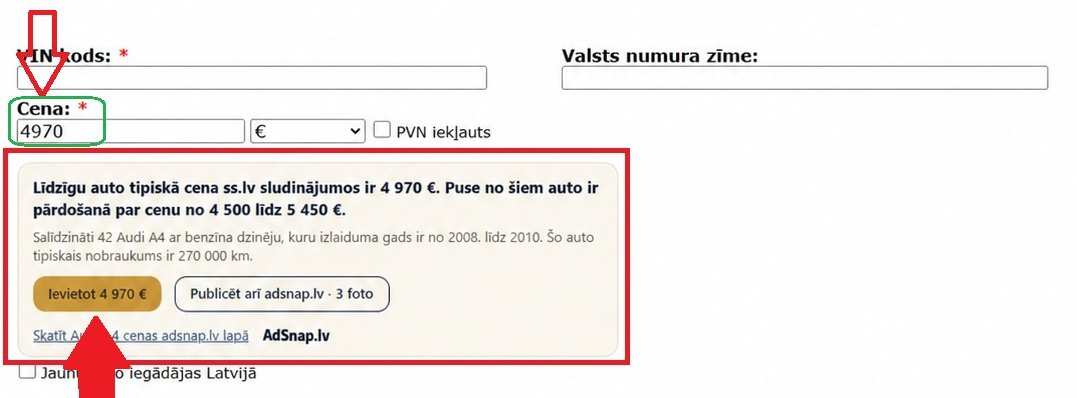
Tip: the "Insert" button writes that price into the price field. For help picking a price, see our guide to selling a car.
Finish the ss.lv form and add your photos.
Click "Also publish on adsnap.lv". The button shows how many photos will go across.
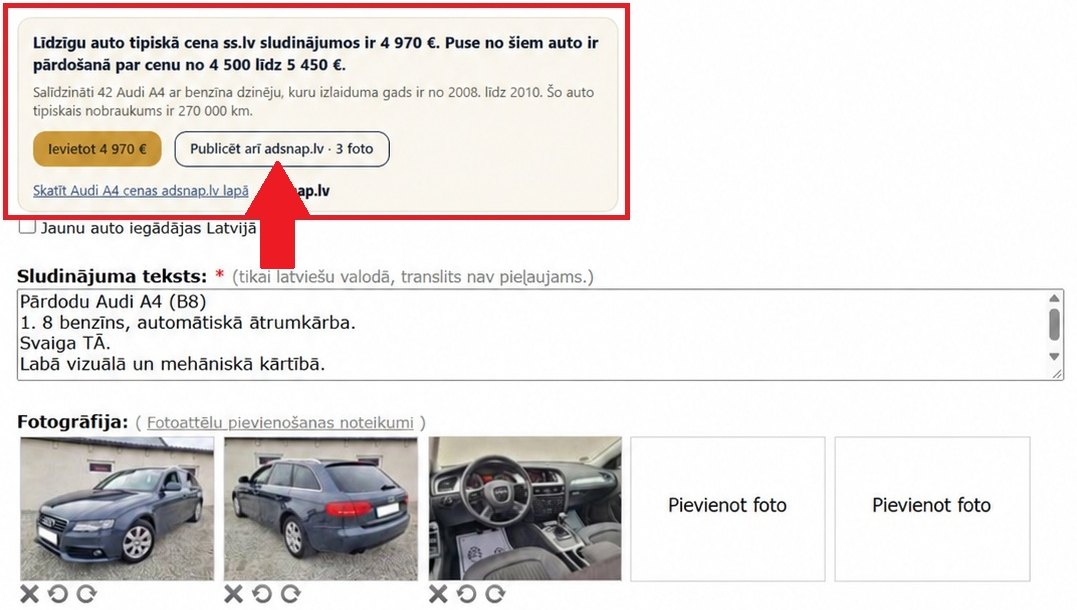
The AdSnap form opens in a new tab with the car details and photos. Accept the terms, fill in anything that's missing and click "Add Listing".
Go back to the ss.lv tab and finish your advert there as usual.
Important: the extension never submits or pays for your ss.lv advert. That part is up to you.
Way 2: your advert is already on ss.lv
Open "My Adverts" on ss.lv.
Click "Also publish on adsnap.lv" next to the car advert.
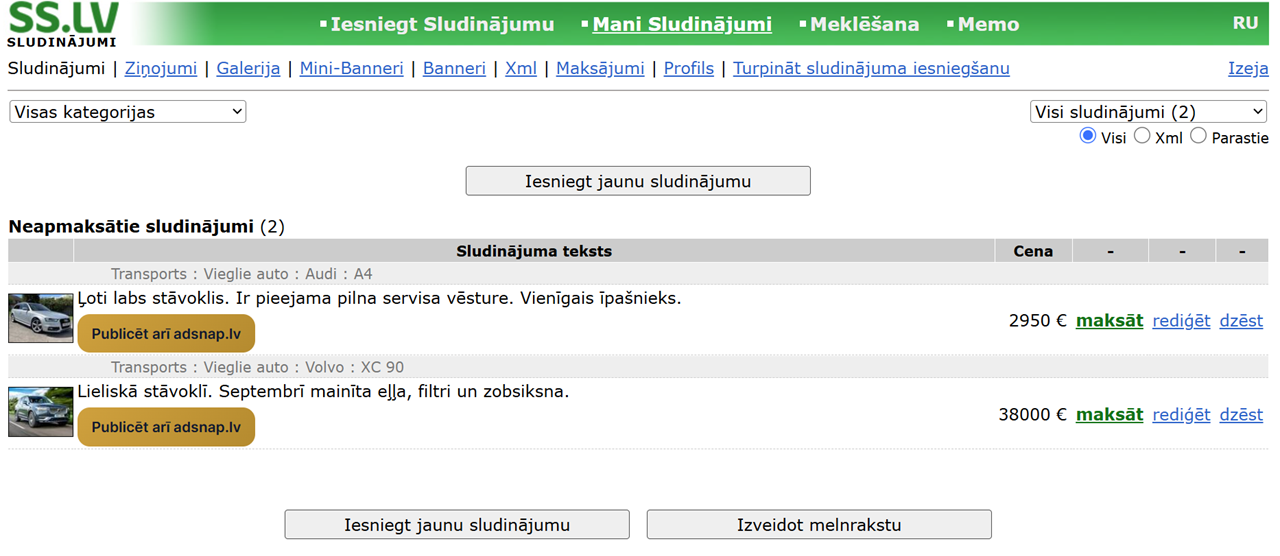
The AdSnap form opens in a new tab with the car details, VIN, number plate, price, description and town already filled in.
Add photos of your car from your computer. At least one is required.
Type in your phone number if it's empty.
Accept the terms, fill in anything that's missing and click "Add Listing".
Important: photos from ss.lv aren't copied to AdSnap, because they carry an ss.com watermark.
Good to know: the extension only fills in your phone number while the ss.lv advert is still unpaid.
Good to know
- Nothing is published on its own. Your listing only goes live on adsnap.lv when you click "Add Listing".
- If the car is from 1991 or later, the VIN is required.
- Once it's published, AdSnap links your listing to your ss.lv advert, so the car shows up on adsnap.lv once, not twice.
- What the extension doesn't read is listed on the extension page.
The short video shows way 1: publishing to AdSnap while you post on ss.lv.
Something not working as described? Let us know, ideally with a screenshot of the ss.lv page.